Last updated: 2026-10-15
Food safety legislation and financial accountability require restaurants to maintain accurate, up-to-date documentation. Culizen automates both allergen tracking for health inspections (EFET / EU Regulation 1169/2011) and financial report exports for accountants and management.
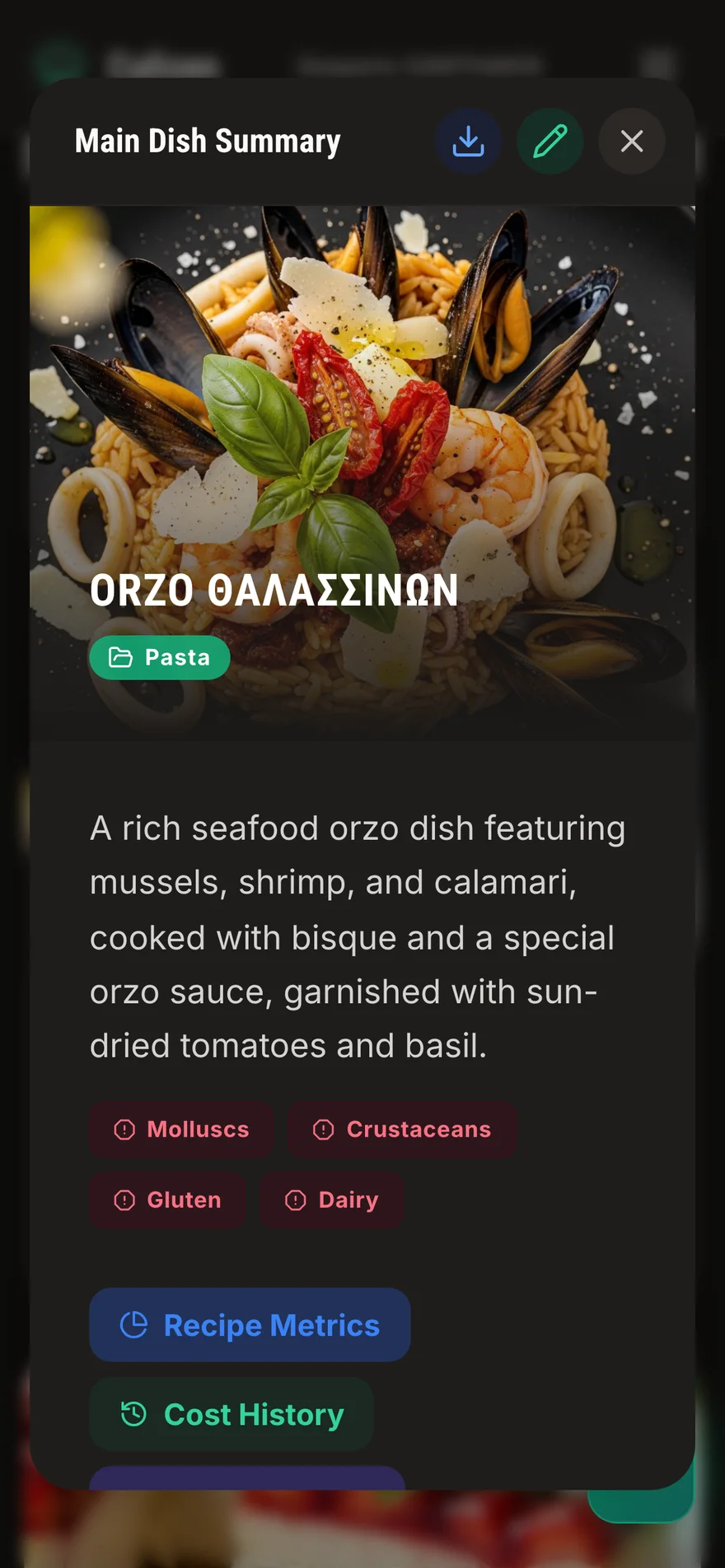
The 14 EU Allergens
Under EU Regulation 1169/2011, food service establishments must inform consumers about the presence of 14 major allergens in every offered dish:
- Cereals containing gluten (wheat, rye, barley, oats, spelt)
- Crustaceans (crab, lobster, prawns, shrimp)
- Eggs
- Fish
- Peanuts
- Soybeans
- Milk and dairy products (including lactose)
- Nuts (almonds, hazelnuts, walnuts, cashews, pecans, pistachios)
- Celery
- Mustard
- Sesame seeds
- Sulphur dioxide and sulphites (>10mg/kg or 10mg/l)
- Lupin
- Molluscs (mussels, oysters, squid, octopus)
Automatic Allergen Rollup
In traditional kitchens, allergen charts are maintained in manual binders that fall out of date the moment a recipe is tweaked.
In Culizen:
- When you configure an ingredient in your Pantry, its allergens are recorded once.
- When you link that ingredient inside a Prep Item (like a sauce or marinade), the sub-recipe inherits those allergens.
- When you add that prep item or raw ingredient to a Main Recipe, Culizen automatically rolls up all allergens to the final dish summary.
- If a supplier changes their product formulation (for example, a bouillabaisse base adding celery extract), updating the pantry product automatically cascades the allergen warning to every recipe on your menu.
Exporting Compliance Documents
1. Restaurant Allergen Matrix (Printable & FOH Binder)
To keep an official binder for front-of-house servers and health inspectors:
- Open Recipes from the sidebar.
- Click the Export icon at the top right of the recipe list.
- Choose Allergen Matrix (PDF/CSV).
- Culizen generates a clean, tabular matrix listing every menu item across the top 14 allergen columns, ready for printing or laminating for the service station.
2. Monthly P&L Statement for Accountants
Your accountant needs clean financial figures without kitchen clutter:
- Navigate to Financials and select the period (e.g., Last Month or Q2).
- Click Export P&L (PDF).
- In Settings → Customization → PDF Export Sections, you can toggle exactly what appears on the official document:
- Executive KPI Summary: Turnover, Gross Profit, Prime Cost, EBITDA.
- Operating Expenses Breakdown: Salaries & labor, rent, utilities, and marketing.
- Cash Movement Table: Outflows, inventory purchases, and vat balances.
- The generated PDF features your restaurant's business name, tax identification (GEMI / VAT / AFM), and period date stamp.
3. Inventory Stock Valuation (End-of-Month Close)
At the end of each accounting period:
- Run an end-of-period stock take in Inventory.
- Click Export Stock Valuation.
- Choose Excel (.xlsx) or PDF.
- The report provides total counted inventory value broken down by category (Proteins, Dairy, Produce, Dry Goods, Wine & Spirits) based on your latest invoice purchase prices.
Best Practices for Health Inspections
- Keep Digital Copies on Hand: Bookmark your Culizen restaurant link on service tablets so waitstaff can instantly filter dishes by allergen when a guest discloses an allergy.
- Review Preps Monthly: Check prep items to ensure all packaged sauces and seasonings have their complete ingredient labels entered in the pantry.