Last updated: 2026-09-01
Why this matters: A restaurant's supply chain is constantly shifting: seasonal ingredient prices fluctuate, suppliers deliver short orders, damaged goods are returned, and monthly credit notes arrive. If your software treats credit notes as positive purchases, your Cost of Goods Sold (COGS) inflates artificially and your supplier balances become unreliable. Culizen provides comprehensive vendor management, price-spike tracking, and automated credit note netting.
The Suppliers Overview
In Suppliers, Culizen tracks your entire vendor ecosystem:
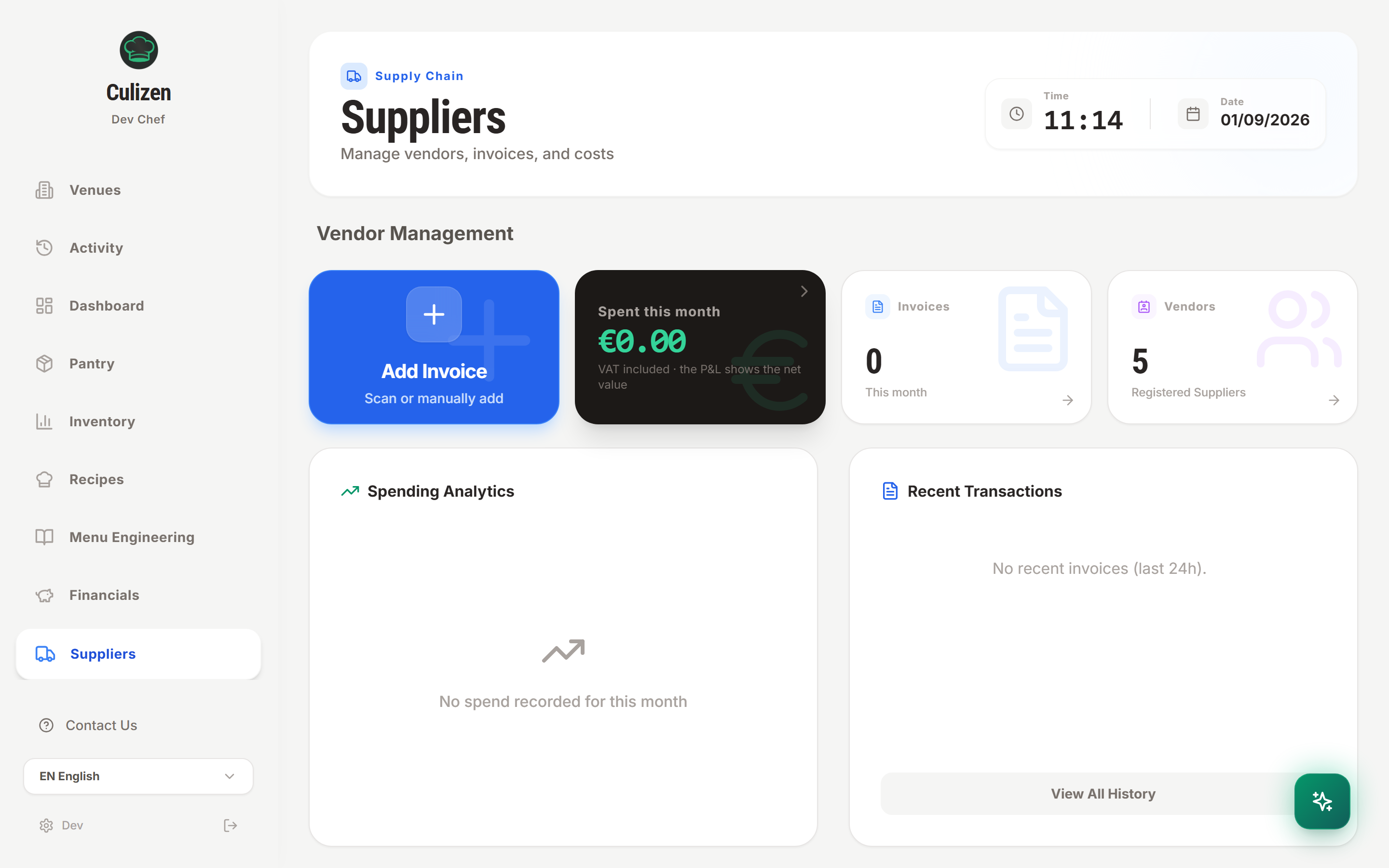
For each supplier, you see:
- Total Invoiced Spend: Net expenditure over the selected period.
- Outstanding Balance: Unpaid invoices vs settled accounts.
- Product Catalog: All ingredients and packaging items sourced from this vendor.
- Recent Invoices & Documents: Complete digital archive of uploaded invoices and credit notes.
Scanning Credit Notes & Returns
When damaged produce, returned kegs, or supplier pricing errors occur, the vendor issues a Credit Note (Πιστωτικό Τιμολόγιο).
How Culizen Handles Credit Notes
When you scan or upload a credit note:
- Culizen's AI recognizes the document type as a Credit Note.
- Supplier Spend: The credit amount is deducted from your supplier's total balance and COGS, rather than adding to it.
- Inventory Adjustment:
- Matched items returned to vendor: Stock quantities are reduced accordingly (e.g. returning 5 kg of spoiled cheese).
- Financial rebate / price adjustment (no physical return): You can toggle the stock adjustment off so inventory levels remain untouched while your financial balance is credited.
Price Inflation Alerts & History Trends
Wholesale prices rarely stay flat. When dairy, oil, or meat suppliers increase their prices incrementally, restaurant owners often don't notice until their monthly margins drop.
In Pantry, tap any ingredient to view its complete Price History:
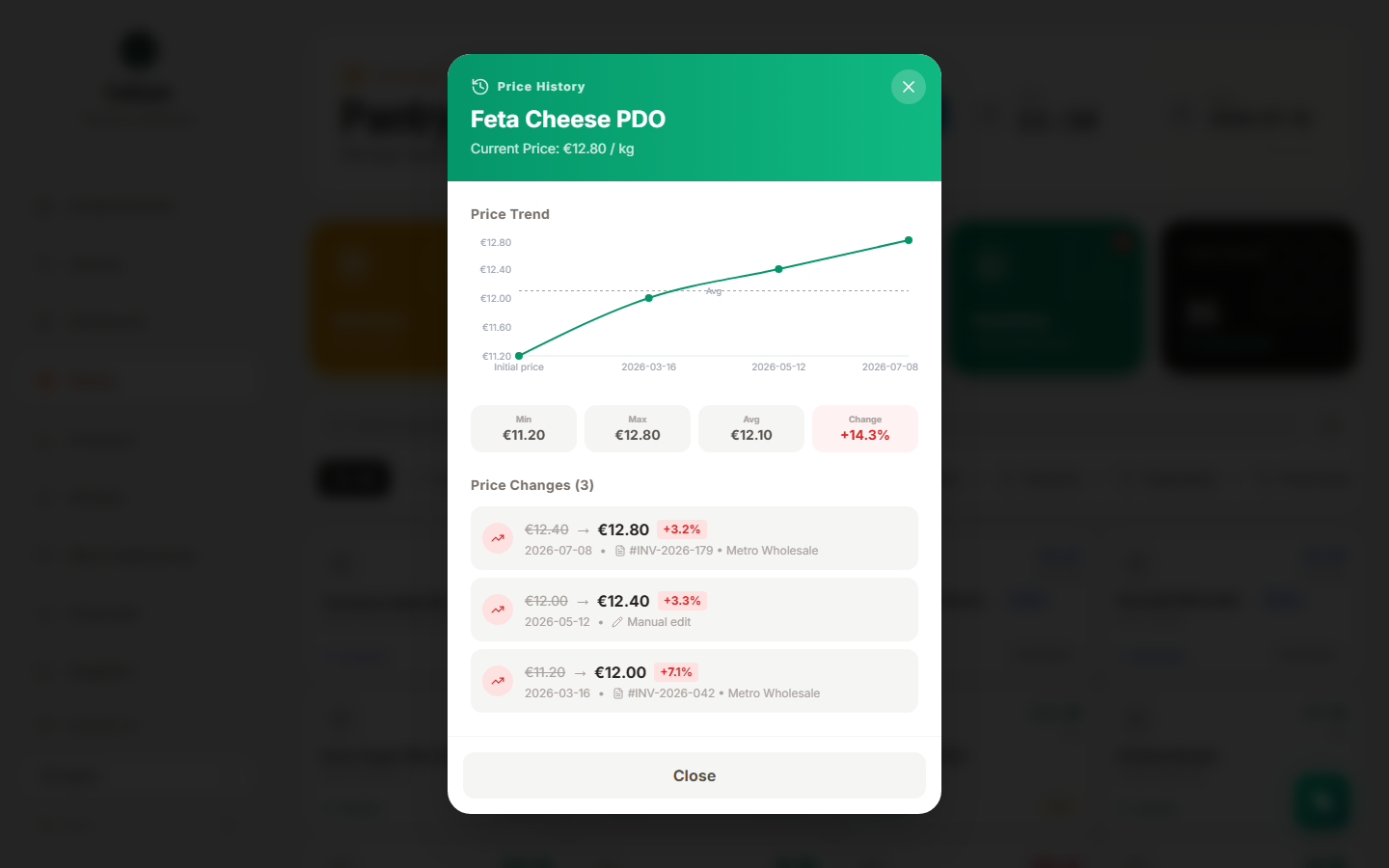
- Price Trend Chart: Visual timeline of price movements across all approved invoices.
- Inflation Metrics: Shows minimum price, maximum price, running average, and overall percentage increase (e.g. Feta Cheese PDO +14.3% over 4 months).
- Audit Trail: Every price change links directly to the specific invoice ID (#INV-2026-179) and date, so you have factual proof during supplier price negotiations.
Multiple Supplier Variants & Auto-Costing
What happens when you buy olive oil from two different suppliers?
- In Culizen, a pantry product can have multiple supplier variants with different pack sizes and unit costs.
- By default, Culizen costs your recipes using Any variant (highest price). This ensures your margins remain protected even if your primary supplier is temporarily out of stock.
- If you have an exclusive contract with a specific vendor, click the variant chip in the recipe editor to pin that specific supplier.
Greek Tax Invoice QR Support
For establishments operating in Greece:
- Culizen supports direct scanning of the official myDATA QR code on printed delivery notes and invoices (Τιμολόγιο - Δελτίο Αποστολής).
- Point your phone camera or upload a scan: Culizen instantly captures and verifies the document against the official tax record, eliminating manual typing and ensuring perfectly accurate supplier records.